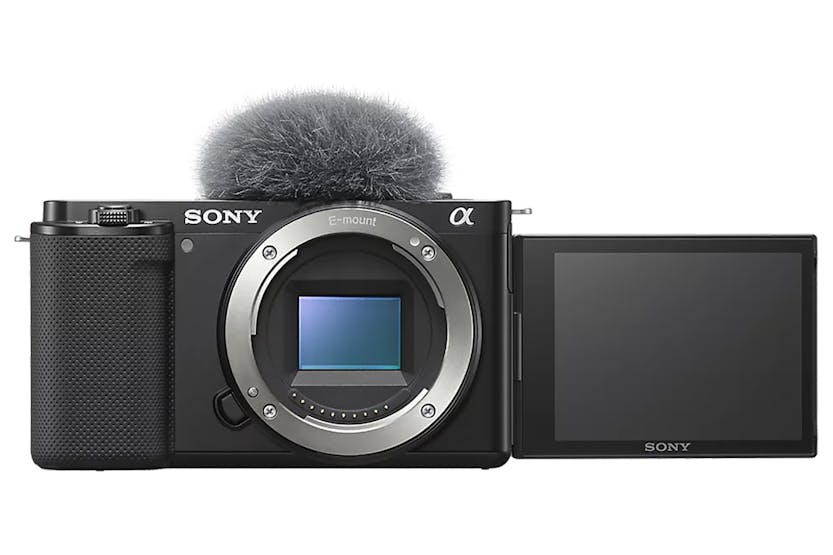
More product images:
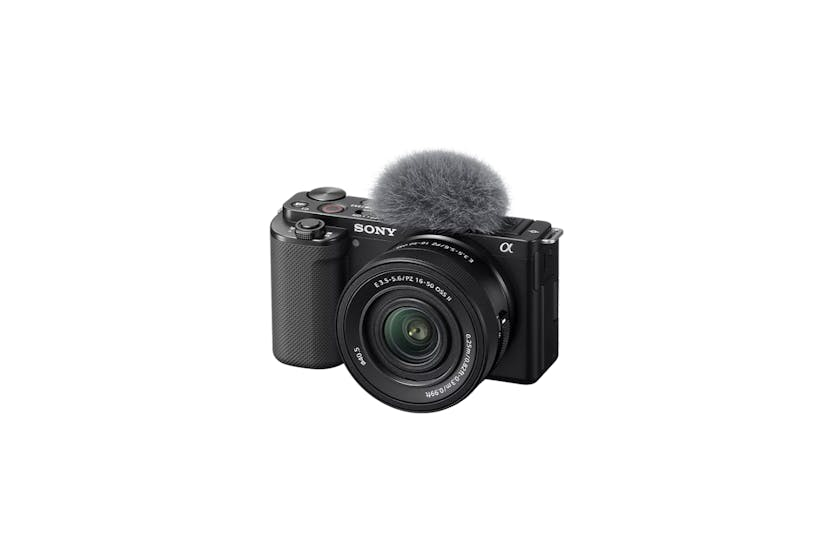
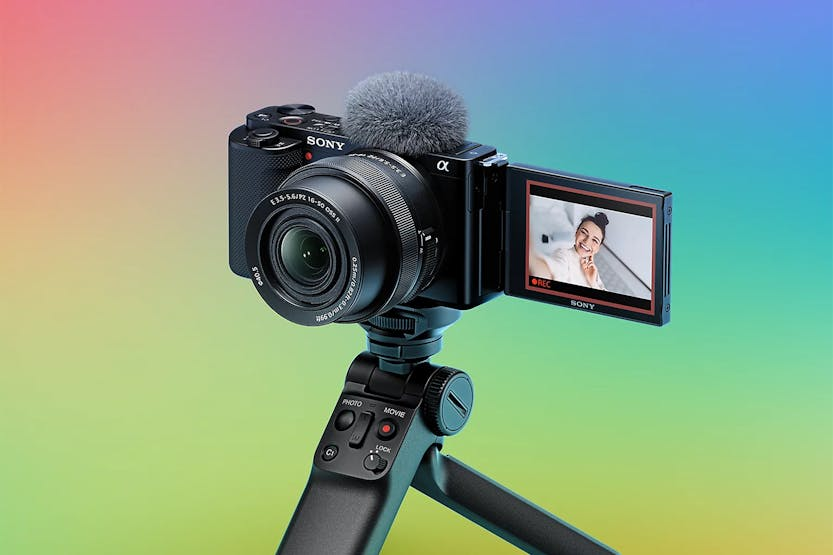
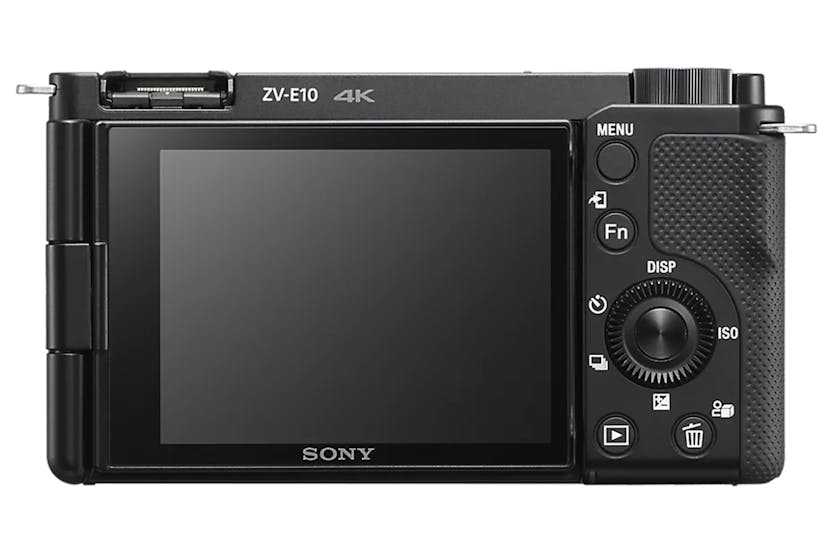
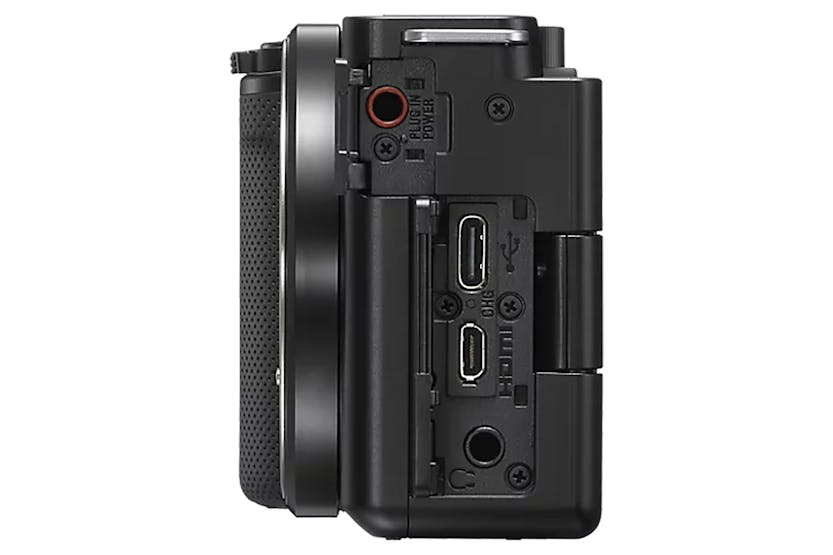
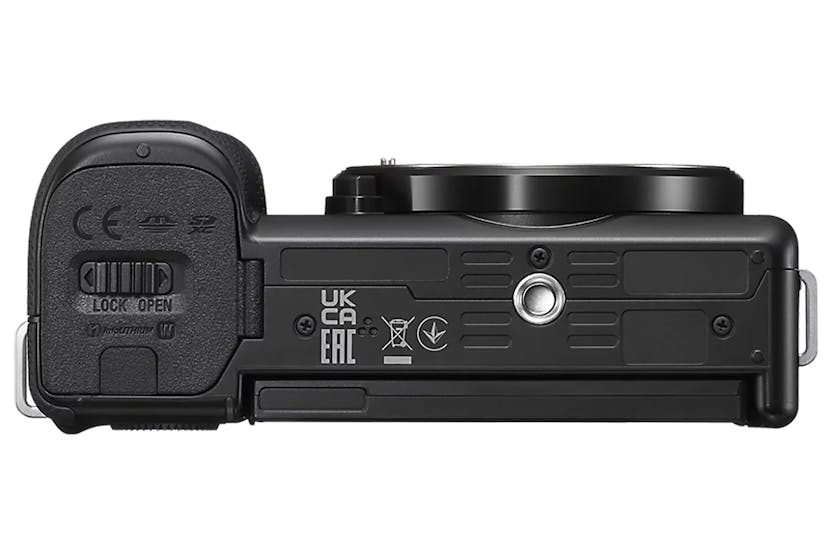
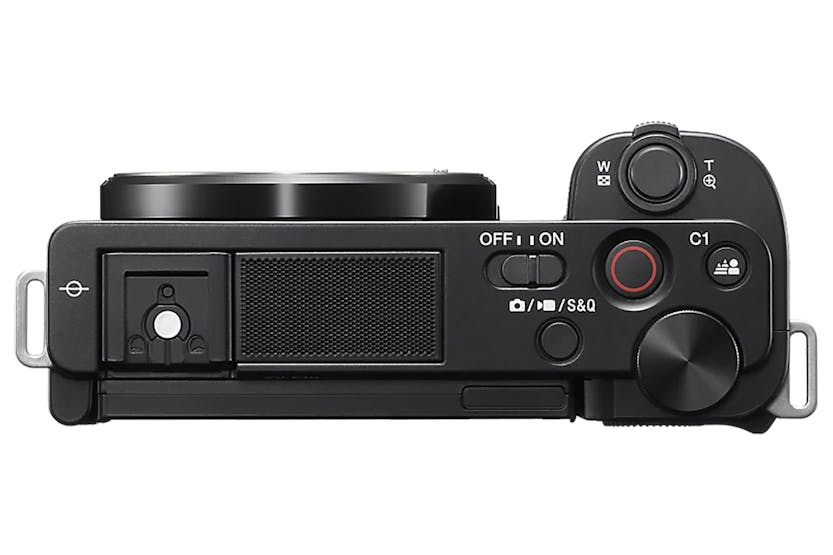
Sony ZV-E10 Vlog Camera | Black
€1,223.00
Description The Choice of Creators Select your creative style below to find the best camera, lenses, and accessories for your content. Become a Better Content Creator with Alpha Academy Harness the full potential of your gear and learn more about photography and videography on Sony free e-learning platform, inspired and taught by professional Sony ambassadors. Features That Bring Vlogging to the Next Level Lenses That Expand Your Visual Expression Find a Lens to Match Your Style Professional-looking vlogs are easy with the ZV-E10, thanks to interchangeable lenses that capture the world however you choose to see it. Watch the video below to discover some of the many creative possibilities. Wide and Dynamic Footage With a wide-angle lens it's easy to capture dynamic footage, spotlighting both you and your location when you're taking selfies. Capture more of the city or the natural backdrop, and bring your viewers along with you in a shared experience. Attention-grabbing Background A fixed focal length lens makes it easy to shoot a vlog that grabs the viewer's attention. This type of lens creates a smooth, natural background blur that lets the subject stand out. It's also useful when you want a brighter image in a dimly lit setting. Super Close-ups Highlight the Details Unlike other types of lenses, a macro lens can get you closer to your subject, allowing you to capture the small details at a bigger size than with normal lenses. Whether it's an accessory you're wearing or a meal you're preparing, a macro lens can pull in very close to your subject and show off every glorious detail. Far-Away Action With a telephoto lens, you can shoot far-off objects, scenery or action with clear detail, whether you're vlogging while travelling or just shooting everyday life. Zooming in and out can also add an extra dynamic element to your story. Expand your Vlogging with Over 60 Lenses Sony's lens line-up can add an extra dimension to the vlogs you make with the ZV-E10. Sony offers more than sixty lenses that are ideally designed for Sony cameras, including lenses that are tailored to moviemaking. Select from a unique line-up of lenses, and explore your powers of self-expression. Advantages of Sony’s Lenses for Video Shooting Learn the four unique advantages of using Sony's E-mount lens for video shooting. The combination of Sony's lenses and cameras will enhance your video creation experience. Easy, Impressive Vlogs One-touch Control of Background Blurring There's no need for complicated manual adjustments - just press a single button to turn background blurring (bokeh) on and off. Select “Defocus” for a professional-looking blurred background to draw attention to the main subject, or “Clear” to show the entire scene in sharp focus. Add Drama with Slow and Quick Motion With the ZV-E10's Still/Movie/S&Q button, you can easily access S&Q mode to shoot slow-motion video at a speed 4x slower than real time. Or, by changing the setting, you can shoot quick motionup to 60x faster. These can be shot without post-editing on a PC, with clear Full-HD quality. Ideal for Product-review Videos Eliminate the frustration of recording product review videos. When the Product Showcase Setting is activated, the camera will quickly and automatically shift focus from your face to a product held in front of the camera, without the need to place your hand behind the product to shift the focus to it. Natural and Smooth Skin Tones Without any special settings, the ZV-E10 will capture your skin tone with a natural look. There's also a Soft Skin Effect to smooth your skin's appearance, which is adjustable to OFF/ Low/ Mid /High depending on your preference. High-quality Video Even When you're Moving The ZV-E10's image stabilisation system can shoot smooth, clean video footage even when you're walking. Another feature, Face Priority Auto Exposure (AE), will automatically brighten the lighting of your face. Even when you're walking, it automatically detects your face and makes adjustments to keep it brightly lit as you move from indoors to outdoors, through light or shadow. Automatic, Precise Focus Without any settings, the ZV-E10 can automatically track your face and eyes to keep a steady focus without wandering off onto other subjects. When you do want to shift focus, just touch the LCD monitor and the camera will track the subject you choose with AI-enabled Real-time Tracking. Smooth, Professional Focus Transition With the ZV-E10, focus speed can be customised to fit the mood, for a more impressive look. The camera lets you choose from seven different speeds, from a quick transition to a more leisurely one. Watch the video below for inspiration on its use. Shooting Grip for Smoother Vlogging The optional GP-VPT2BT makes it even easier to take selfies and shoot from high or low angles. You can also access controls on the grip without reaching for the camera's buttons while shooting. With these controls you can start and stop recording, handle zoom operations and set the Bokeh Switch to “Defocus” or “Clear”. Large-Sensor Images The Larger Sensor Makes a Difference in Quality The ZV-E10's impressive images are the result of the camera's large APS-C sized image sensor – the same kind found in cameras all the way up to professional cinema models. The sensor is more than ten times larger than ones you would find in a typical smartphone, so it collects far more light and more image data, in order to create beautiful images and evocative bokeh effects. APS-C 1.0-type1/2.3~1/3.4-type. Professional-looking Bokeh at Your Command The ZV-E10 makes it easy to shoot impressive images with a softly blurred background, like the kind you see in movies. The camera's large-size sensor makes this possible, allowing you to take striking shots where the subject really stands out against the background. Impressive 4K Movies Making high-resolution 4K movies is as easy as pressing the MOVIE button, and the ZV-E10's large image sensor enables a beautiful range of colours. For maximum detail, the image sensor records 2.4x the volume of data needed for 4K, then condenses the data to produce the final recording. Clean Footage in Dim Lighting Even when you're shooting in poorly lit settings, the ZV-E10 delivers beautifully detailed images with minimal noise. Once again, it's all thanks to the large size of the camera's image sensor, which maximises light collection. The result is clear, clean images even when shooting indoors with dim lighting or outdoors at night. For Stunningly Clear Audio Built for Clear Voice Recording The ZV-E10 makes it easy to clearly record your voice without any worries. The internal Directional 3-Capsule Mic is optimised to capture sound from in front of the camera, recording your voice clearly even when you're in a crowd. Clear Sound Recording Even Outdoors in the Wind The ZV-E10 comes with a wind screen that reduces wind noise when you're shooting outdoors. Just attach the wind screen for worry-free shooting, and you won't have to adjust noise levels after shooting. For Even Higher Audio Quality Unlike with conventional analog audio transmission, you'll never need to worry about cable signal interference. Just pair the ZV-E10 with any microphone from Sony that supports a Digital Audio Interface via a Multi Interface (MI) Shoe for clear, low-noise, all-digital audio. Share and Connect Simple Remote Connectivity with High-quality Images The ZV-E10 can be used as an online communication tool, a live-streaming camera?, taking advantage of its large sensor and built-in mic. To use the ZV-E10 as an external camera?, connect it to a PC? or a Sony Xperia smartphone? via a USB Type-C cable connection. Shoot Now, Share Now Share professional-quality videos on social media soon after shooting. The free Imaging Edge Mobile? software allows you to quickly send your movies or still images from the ZV-E10 to your smartphone?. Vertical Movie Shooting? Without the Hassle Vertically shot videos? can be replayed or edited with automatic tagging of their vertical orientation?, so you can upload content custom-made for smartphone screens. Easy Video Editing on a Smartphone The Movie Edit add-on? makes it easy to edit video on a smartphone. Apply enhanced stabilisation for especially shaky shots? or reframe and crop video to suit popular social-media aspect ratios. Stress-free Power Supply There's no need to worry about the power source when you're producing your vlog – the ZV-E10 is equipped with multiple power-supply options to ensure stress-free shooting. Staying Power for Outdoor Shoots The ZV-E10's battery provides up to 125 minutes of continuous movie shooting or up to 440 still images?, so you can comfortably shoot long sessions outdoors. External Power Supplies for Extended Shooting Sessions For even more flexibility, the camera supports external power via a USB Type-C connector, so you can use external mobile batteries to extend your recording time. Optional AC Power Suitable for Live Streaming When you have access to AC power you can use an AC adapter like the AC-PW20AM? and never worry about running out of battery charge, useful when you're doing live streaming. Add Drama to Your Vlog Add Artistic Effects in Camera You can switch up your colour to create a variety of artistic effects. Just change the setting of Creative Style, or choose from seven different visual effects using Picture Effect modes. S-log33 Support for Creative-looking Colour Tones The ZV-E10 features S-Log33, used in other high-end Alpha series cameras, for a more creative colour tone. With post-production editing on a PC, S-Log33 allows a wide dynamic range for greater control over final colours. Instant, True-to-life 4K HDR Movies with HLG The ZV-E10 gives you the option to shoot 4K HDR (High Dynamic Range) movies in faithful, natural colours without complex post-production editing or colour grading. Learn More About the ZV-E10 Imaging Edge Desktop for Remote Control from a PC Elevate your images with imaging edge desktop applications, software that allows you to control and monitor live shooting from your PC screen as well as organise and edit photos. Enjoy Video Chat on the Big Screen of BRAVIA Catch up with your friends and family, on the big screen by connecting your camera to the BRAVIA TV. Feature Lists Choose How You See The World, And Pick The Lens That Matches Your Style Choose just the right lens from Sony's extensive range of E-mount lenses, and bring your vlog to the next level with stunning and unique imagery. Incorporate background scenery into your script with a wide-angle lens, or make the subject grab the viewer's attention by using a fixed focal length lens with an artfully blurred background. Move in closer with a macro lens or pull in distant scenes with a telephoto lens. A Large-Format Image Sensor For Professional-Quality Images The ZV-E10's impressive images are the result of the camera's large APS-C sized image sensor. Compared to a smartphone camera, the image sensor of the ZV-E10 is more than ten times? bigger, allowing for beautiful, professional-looking images with high resolution and intricate detail. Efficient Light Collection For High-Quality Images With Minimal Noise The ZV-E10's large-format image sensor is designed to maximise light collection, producing 4K movies with high-quality images with less noise even when you're shooting in a dimly lit setting. 4K Video With Oversampling For Greater Detail The camera's internal 4K video recordings? are made using a full-pixel readout from the sensor, allowing the collection of approximately 2.4 times? as much data as is required for 4K (roughly equivalent to 6K). This oversampling means that the recorded footage has more visual data condensed into every frame, resulting in remarkably detailed video imagery. Designed For Easy Selfie And Vlog Shoots Weighing in at just 364 grams (12.8 ounces)?, the ZV-E10 is ready to hit the road with you whenever you’re ready to vlog. The side-opening vari-angle LCD screen makes it easy to take selfies and check your framing, even when you're shooting from high or low positions, and the ergonomic grip is designed for a safe and stable hold. Instant Access to Control Buttons When you're shooting a vlog session the last thing you want to do is fumble for buttons. With the ZV-E10 you'll find the MOVIE button right on top, for quick access. There's also a handy zoom lever?, and a Still/Movie/S&Q button that lets you easily switch between still images, normal videos and Slow & Quick Motion modes. Protection Against Recording Failures The ZV-E10 tells you at a glance that whether or not you are recording. A recording lamp on the front of the camera lights up in red, and the LCD monitor also displays a bold red frame, letting you know when recording is in progress. Fast, Precise Autofocus Even quick-moving subjects stay in focus thanks to the ZV-E10's Fast Hybrid AF system. With 425 phase-detection points? covering around 84%? of the sensor's image area, this wide coverage and dense AF point placement help to precisely capture subjects that might otherwise be difficult to focus on. Let Real-Time Tracking Do The Focusing Work For You The ZV-E10's AI-driven? Real-time Tracking is intuitive to use. Simply touch the monitor to indicate the subject you want to focus on and Real-time Tracking will take it from there, keeping a steady hold on the subject. Leave It up to the Camera to Focus on You With the ZV-E10 you can concentrate on the more creative aspects of vlogging. The camera's Eye AF feature uses sophisticated detection algorithms to recognise and track a subject's eyes quickly and accurately, keeping a tight focus on a person's eyes. Precise Focus Transitions for Smooth-looking Product Reviews With just the press of a button, you can activate the ZV-E10's Product Showcase Setting, ideal for product review videos. With the setting activated, whenever you hold a product up in front of the camera the focus will shift automatically to that object, and then back to your face again when you move the product out of frame. This setting is available even when image stabilisation is set to Active. Easy Background Blur Control There's no need for complicated manual adjustments – just press a single button to turn background blurring (bokeh) on and off. The button switches between a blurred, bokeh-rich background and a clearly focused one?, skipping all the complex setting. Natural-Looking Skin Tones The ZV-E10 is designed to produce healthy and natural-looking skin tones for everyone without extra editing. Thanks to the ZV-E10’s natural colour tuning, the camera automatically fine-tunes skin appearance. Smooth, Soft Skin Appearance The ZV-E10 features a Soft Skin Effect to smooth your skin's appearance. The feature is designed to smooth out your skin while preserving sharpness in the eye and mouth regions. You can select from four levels (from "off" to "high") to determine the level of this effect, depending on your preference. Stay Brightly Lit Wherever You Go Even when lighting conditions change abruptly, the ZV-E10 makes sure that you'll always be brightly lit. From direct sunlight and backlit angles to shadows and dimly lit interior corners, the camera detects the subject's face and automatically handles changes in brightness, performing rapid exposure adjustments to compensate. Smooth and Stable Images Even While Walking The ZV-E10 will help keep things smooth and steady when you're on the move. Active Mode? electronic image stabilisation delivers stable video footage with minimal shake and blur during hand-held recording, and it's available even when the Product Showcase Setting is on. Easy Sped-Up and Slowed-down Motion The camera's Slow & Quick Motion? modes record videos up to 5x slower than real time or up to 60x faster. You can record at up to 50 Mbps with full HD quality, and it's all done in-camera, so you don't need to do any editing on a PC. You can also do high-speed full HD recording at 120fps? ? to create high-resolution slow-motion sequences in post production. Designed for Clear Voice Recording Equipped with a built-in Directional 3-Capsule Mic, the ZV-E10 records voices clearly even in crowded settings. It's optimised to capture voices in front of the camera with fewer distracting ambient sounds, perfect for vlogging use. Clear Recording Even Outdoors The ZV-E10 comes with a wind screen, allowing worry-free recording when shooting outside. The supplied wind screen can be easily attached to the Multi Interface (MI) Shoe to reduce noise in windy conditions. For Even Higher Audio Quality Unlike with conventional analog audio transmission, you'll never need to worry about cable signal interference. Just pair the ZV-E10 with any Sony microphone that supports a Digital Audio Interface via an MI Shoe for clear, low-noise, all-digital audio. Or, you can connect your favorite mic via the camera's mic jack for even better audio. Easy Sound Monitoring Make sure that you're getting exactly the audio stream that you're hoping for. The ZV-E10 features a standard 3.5mm headphone output, so you can connect a set of headphones to monitor whether the audio is being properly recorded. Optional Grip for Easy One-handed Operation The Bluetooth-enabled GP-VPT2BT grip (sold separately) provides easy, cable-free remote control of recording and zoom controls along with a custom button. Zoom and record operations are accessible for one-handed shooting, and the Bokeh Switch is also assigned by default to an easy-to-reach button for operation with a single touch. Vertical Shooting Without the Complications Movies shot in a vertical orientation can be viewed the same way on a PC or smartphone, thanks to metadata recorded by the camera?. There's no need to rotate the video manually, convenient when you're sharing your work on social media. Transfer to a Smartphone for Quick Sharing The ZV-E10 makes it easy to share 4K movies and still images after shooting. Even when the camera is turned off, your images can continue to be transferred wirelessly from the camera to a smartphone, to be shared as soon as you’re ready. Edit Movies From Your Smartphone Movie footage shot with the camera is easy to edit on a smartphone using the Movie Edit add-on? from the Imaging Edge Mobile app. The image stabilisation feature uses the camera's gyro sensor data to smooth out the video and compensate for camera shake. There's also an intelligent framing feature that uses camera data to let you crop video and change aspect ratios while ensuring that the main subject remains in the frame. Add Special Effects In-Camera You can switch up your colours to create a variety of artistic effects. Just change the Creative Style setting, or choose from seven? different visual effects using Picture Effect mode, without any additional post-production. Flexible Control Over Colour Tones With S-Log3 Support If you want greater flexibility in adjusting colours during post-production, you'll appreciate the ZV-E10's support for S-Log3, the standard for maximising sensor performance in professional cameras. S-Log3 allows for a wide dynamic range, giving you the increased visual data you need for greater colour control during post-production editing on a PC. Produce 4K Hdr Movies With True-To-Life Colours Natural, realistic-looking colours in 4K HDR movies can be achieved without post-production or colour grading, thanks to the camera's support for recording 4K HDR (High Dynamic Range) footage using the preset HLG picture profile. Fine-Tune Your Transitions When You Switch Focus When you switch focus from one subject to another, you'll enjoy fine-grained control over AF Transition Speed. Transition speed controls whether to perform a quick transition or a more gradual one, with seven different levels available. Create Time-Lapse Movies With the ZV-E10's interval shooting mode? you can create evocative time-lapse movies assembled from still shots. The shooting interval can be adjusted from 1-60 seconds between shots, with up to 9,999 shots possible. You can see an in-camera preview of what the finished movie will look like, then use Sony's Imaging Edge Desktop on a PC to put together the final footage. Live-Stream Setup Is Easy With a single cable, the ZV-E10 can be used as an online communication tool?, taking advantage of its large sensor and built-in mic. To use the ZV-E10 as an external camera?, connect it to a PC? or a Sony Xperia smartphone? via a USB Type-C cable connection. You can assign USB Streaming mode to a custom button for quick streaming. Handle Long Shooting Sessions Without Battery Worries When you're shooting outdoors or anywhere without a power supply, you can rely on the camera's battery to power up to 125 minutes? of continuous movie shooting or up to 440 still images?. The camera also supports external power through a USB Type-C connector, allowing an external mobile battery to further extend your recording time. Switch To Ac Power When You Need To Shoot For Longer Durations When you're live-streaming or just engaging in an extended indoor shoot with access to an AC power supply, you can use an AC adaptor like the AC-PW20AM (sold separately) and never have to worry about running out of battery power. Enhanced Image Stabilisation And Editing Functions Camera-shake metadata is recorded by the built-in gyro, allowing handheld footage to be smoothed out and stabilised in post-production. Using Sony's Catalyst Browse / Catalyst Prepare desktop application? you can easily balance automated shake-compensation and image-trimming levels. Catalyst can also make effective use of recorded camera-rotation data. Imaging Edge Desktop Elevate your moviemaking and still photography with Imaging Edge Desktop applications?. Use "Remote" to control and monitor shooting live on your PC screen; "Viewer" to quickly preview, rate, and select photos from large image libraries; and "Edit" to develop RAW data into high-quality photos for delivery. Get the best from Sony RAW files, and manage your productions more efficiently. What's in the Box: Rechargeable battery NP-FW50 AC adaptor Shoulder strap USB-A to USB-C cable (USB 2.0) Wind screen Wind screen adaptor Lens cap Product Features: Interchangeable-lens camera for vlogging Large APS-C type 24.2-megapixel1 exmor CMOS sensor Directional 3-capsule mic supplied with wind screen Features designed for vloggers – product showcase setting, bokeh switch, still/movie/S&Q button Flexible connectivity for easy sharing Battery life (still images): Approx. 440 shots (LCD monitor) (CIPA standard) Battery life (movie, actual recording): Approx. 80 min (LCD monitor) (CIPA standard) Battery life (movie, continuous recording): Approx. 125 min (LCD monitor) (CIPA standard)
- Category: Cameras
Technical Specifications
- Specs • General • Brand • Sony • Product Category • Cameras & Drones • Product Type • Compact Camera • Product Colour • Black • Camera Features • Additional Features • Built-In Speaker • Bluetooth • Face Detection • Built-in stereo • Built-in monaural • Audio File Formats • XAVC S: LPCM 2ch • Camera Type • Compact • Memory Card Type • Memory Stick Duo / SD memory card • Display • Screen Type • LCD • Touch Screen • Yes • Lens Features • AF Points • 425 • Focus Type • Fast Hybrid AF • Optical Zoom • 2x • Digital Zoom • 2x • 8x • Camera Functions • Continuous Shooting • 28 fps • Self-Timer • 2s Secs • 5s Secs • 10s Secs • Shutter Speed • 1/4000 - 30sec • Type of Modes • Single shot • Self -Timed • Selfie • Slow Motion • Digital Zoom • Live Streaming • White Balance • Auto/Daylight / Shade / Cloudy / Incandescent/Fluorescent/Flash/ Underwater / Color Temperature (2500 to 9900 K) & color filter / Custom • Photo Features • Image Sensor • APS-C, Exmor CMOS • Image Sizes (pixels) • L: 6000 x 4000 (24 M), M: 4240 x 2832 (12 M), S: 3008 x 2000 (6.0 M) • Photo File Formats • JPEG, RAW, RAW + JPEG • Video Features • Max Video Bitrate • 100 Mbps • Video Resolution • 4K • Battery & Power • Power Source • Battery • Dimensions • Height • 64.2 mm • Width • 115.2 mm • Depth • 44.8 mm • Weight • 0.343 kg